
PayPal proof of fulfillment is one of the most common requests PayPal sends to users when reviewing transactions or accounts. Many people panic when they see this message, but in most cases, it can be resolved if you understand what PayPal is asking for and how to respond correctly.
In this guide, you’ll learn what PayPal proof of fulfillment means, why PayPal asks for it, and the exact steps you should follow to fix the issue quickly.
What Is PayPal Proof of Fulfillment?
PayPal proof of fulfillment is evidence that shows you have successfully delivered a product or service to your customer. PayPal uses this information to confirm that transactions are legitimate and that buyers received what they paid for.
This request usually appears in the Resolution Center and may temporarily limit your account until you submit the required information.
Why PayPal Asks for Proof of Fulfillment
PayPal proof of fulfillment As a result may request proof of fulfillment for several reasons, including:
- Your PayPal account is new
- You experienced a sudden increase in sales
- You sell digital products or online services
- A buyer opened a dispute or chargeback
- PayPal detected unusual activity
This does not always mean you did something wrong. In many cases, PayPal is simply performing a routine security check.
What Documents Does PayPal Accept?
The type of proof PayPal accepts depends on what you sell.
For Physical Products
PayPal usually accepts:
- A tracking number showing Delivered
- Shipping receipt with buyer address
- Courier confirmation page
For Digital Products or Services
You can submit:
- Screenshots of digital delivery
- Email confirmation sent to the buyer
- Order or invoice details
- Chat or message history confirming delivery
Make sure all documents clearly match the transaction details in your PayPal account.
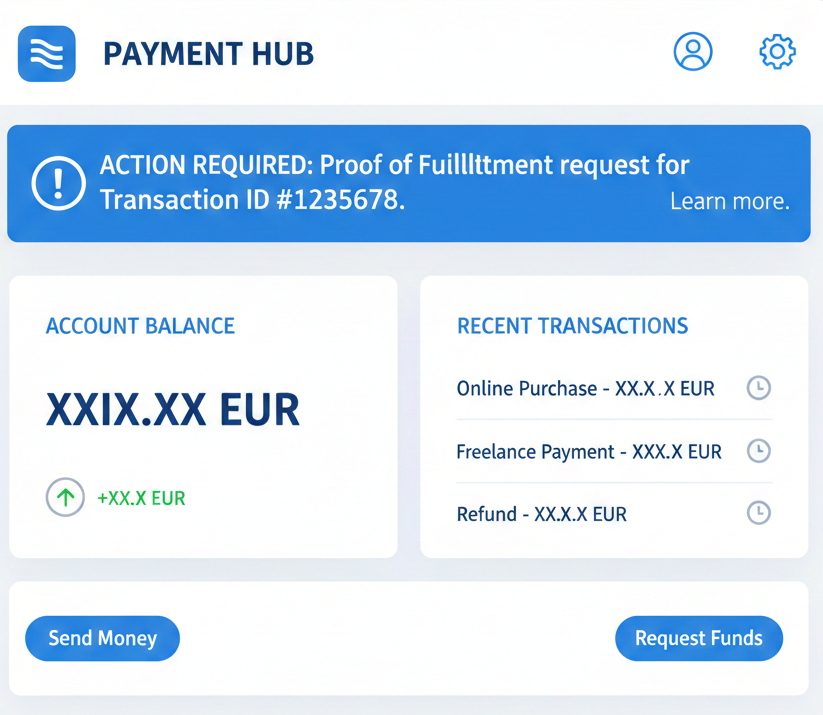
7 Easy Steps to Fix PayPal Proof of Fulfillment Issues
Follow these steps carefully to improve your chances of approval:
1. Log in to Your PayPal Account
Go to PayPal and access your Resolution Center.
2. Open the Requested Case
Click the case related to the PayPal proof of fulfillment request.
3. Read PayPal’s Instructions Carefully
PayPal tells you exactly what documents they want. Do not guess.
4. Upload Clear and Original Documents
Avoid blurry images, cropped screenshots, or edited files.
5. Add a Short Explanation
Briefly explain how and when the product or service was delivered.
6. Double-Check All Details
Names, dates, and amounts must match the transaction.
7. Submit and Wait for Review
Most reviews take 3 to 7 business days, sometimes longer.
How Long Does PayPal Take to Review Proof of Fulfillment?
In most cases, PayPal reviews proof of fulfillment within a week. During this time, some account features may remain limited.
Avoid submitting multiple updates unless PayPal asks for more information.
What Happens After Approval?
Once PayPal accepts your proof of fulfillment:
- Account limitations are usually removed
- Funds may be released
- Normal account activity resumes
If PayPal rejects the proof, they may request additional documents.
Important Tips to Avoid Future Problems
- Always keep invoices and receipts
- Use trackable shipping when possible
- Communicate clearly with buyers
- Avoid high-risk transactions
- Follow PayPal policies carefully
Common Mistakes to Avoid When Submitting PayPal Proof of Fulfillment
Many users delay approval by submitting incomplete or unclear documents. Avoid sending blurry screenshots, cropped images, or files that do not match the transaction details. Always make sure the buyer’s name, date, and payment amount are visible. Submitting accurate information the first time reduces review delays and increases approval chances.
Final Thoughts
PayPal proof of fulfillment requests can be stressful, but they are often easy to resolve when handled correctly. By submitting accurate documents and following PayPal’s instructions, most users can fix the issue without permanent problems.
If you sell online regularly, staying organized and prepared will help you avoid future account reviews.
You can also read more details directly from the PayPal Help Center about account reviews and fulfillment requirements.
If you have problems to understand PayPal Dashboard Explained. Follow our article about How to Track Payments, Resolve Issues, and Manage Your Account Efficiently.